
- Home
- For business
- Site database
Site database and workflow
Your pipeline. Not your spreadsheet.
Every site you're chasing, with everything you know about it, on a map your whole team can see.
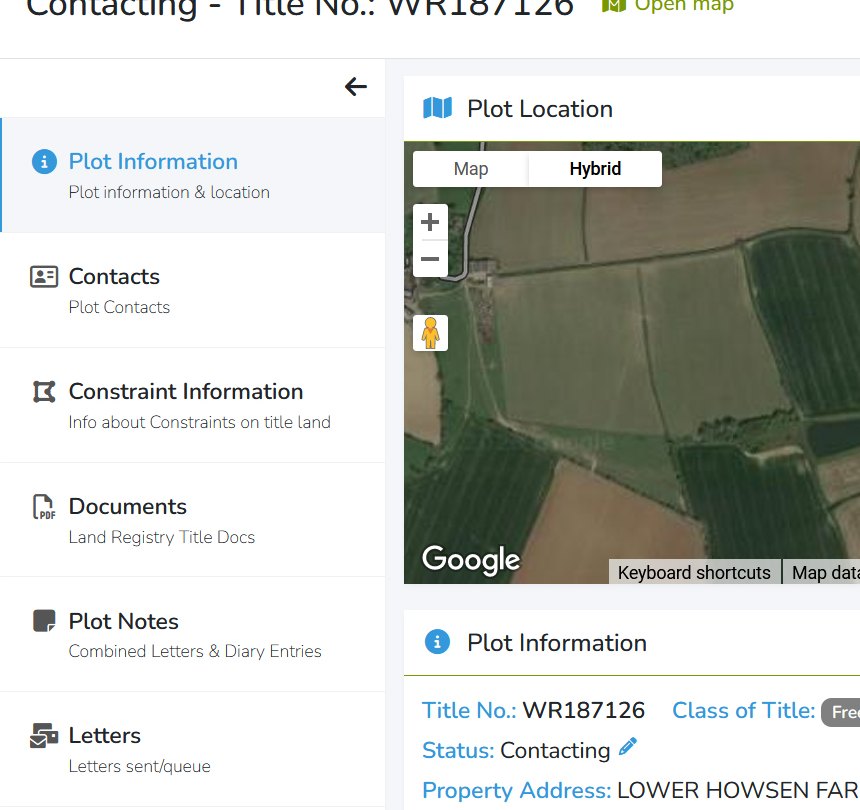
How a plot gets built
Click once. The record starts filling itself in.
Save it from the map
Click a title and add it to your database. Planning constraints are added for you automatically.
Add the title
Buy the Land Registry title and it joins the record, with owners and contact details filled in from the register.
Put it to work
Send letters, drop in documents and photos, keep notes, and switch on title and planning alerts.
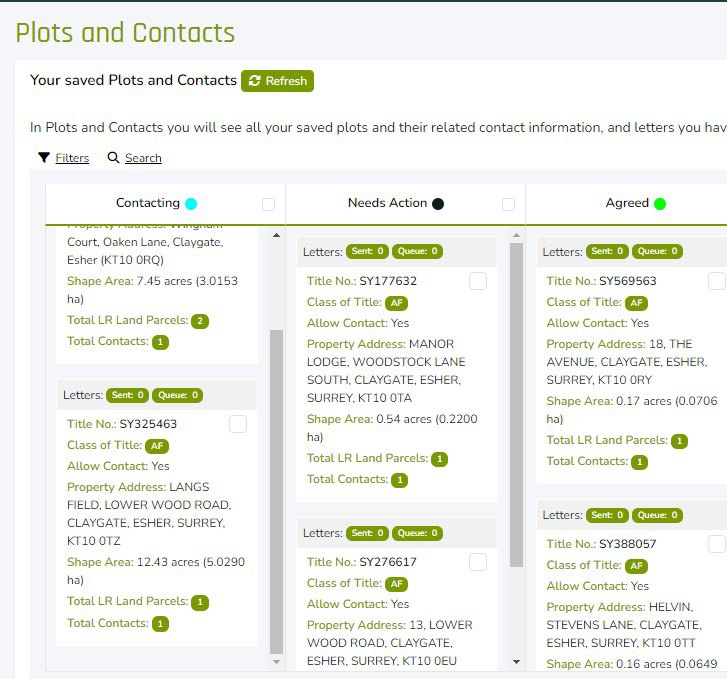
Your workflow, your words
Stages that match how you work.
Contacting, needs action, agreed, dead, or whatever you call them. Set your own stages, see them in colour on the map, and drag plots along as things move.
- One record for contacts, titles, letters, documents and diary notes
- View as a board, or switch to your list of contacts
- Search by category or free text
- Share with colleagues, or keep it to yourself
Not just for land buyers
Use it for whatever you're tracking.
Developers
Keep a live list of sites that stack up, and who's been spoken to.
Agents
Build a map of owners, instructions and introductions in your patch.
Landlords
Hold your portfolio in one place, with alerts on every property.
Your next opportunity starts here
See what's on your patch.
Registering takes under a minute. No card needed. Your first £2.99 of credit is on us.

